Complete Beginner Guide to 2D Animation in Blender with Grease Pencil
عدد الدروس : 9 عدد ساعات الدورة : 01:17:02 شهادة معتمدة : نعم التسجيل في الدورة للحصول على شهادةللحصول على شهادة
- 1- التسجيل
- 2- مشاهدة الكورس كاملا
- 3- متابعة نسبة اكتمال الكورس تدريجيا
- 4- بعد الانتهاء تظهر الشهادة في الملف الشخصي الخاص بك
قائمة الدروس
عن الدورة
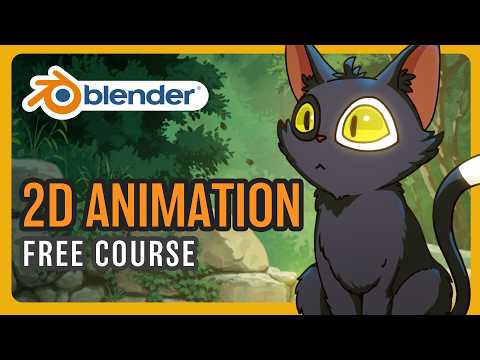
Blender includes a powerful tool called Grease Pencil that allows artists to create full 2D animations inside a 3D environment. This complete beginner series introduces the fundamentals of 2D animation using Grease Pencil, starting from drawing and sketching all the way to basic animation, camera movement, and visual effects.
The series begins with an introduction to Grease Pencil and how it works inside Blender. Beginners learn how to navigate the interface, use drawing tools, and create their first sketches. This step is essential for understanding how 2D animation is built inside a 3D software environment.
Next, the focus shifts to clean line art creation. Users learn how to refine sketches into smooth, professional-looking outlines suitable for animation. Proper line control and clean drawing techniques are emphasized to ensure high-quality results.
Coloring is introduced as the next stage, where users learn how to apply flat colors and organize different parts of the drawing. The workflow shows how to keep colors clean and consistent while preparing artwork for animation.
The series then explains keyframes and basic animation principles. Beginners learn how to bring drawings to life by controlling timing, movement, and frame changes. This includes understanding how simple keyframe animation works in Grease Pencil.
A practical breakdown of a head turn animation is included to demonstrate real animation workflow. This helps users understand how to plan movement, structure drawings across frames, and maintain consistency in character design.
The workflow also covers faster coloring techniques, helping artists speed up production while maintaining clean results. This is important for working efficiently on larger animation projects.
Camera movement techniques such as parallax, panning, dolly, and zoom are also introduced. These tools help create depth and cinematic motion within 2D scenes, making animations more dynamic and visually engaging.
Finally, the series explores effects and compositing using Grease Pencil. Users learn how to enhance their animations with visual effects, layering techniques, and simple post-processing to improve the final output.
By the end of this beginner guide, learners will understand the full 2D animation workflow in Blender and be able to create simple animated scenes using Grease Pencil, from drawing to final composition.


