Fluid Simulations in Blender | Beginner Guide to Realistic Water Effects
عدد الدروس : 1 عدد ساعات الدورة : 00:54:02 شهادة معتمدة : نعم التسجيل في الدورة للحصول على شهادةللحصول على شهادة
- 1- التسجيل
- 2- مشاهدة الكورس كاملا
- 3- متابعة نسبة اكتمال الكورس تدريجيا
- 4- بعد الانتهاء تظهر الشهادة في الملف الشخصي الخاص بك
عن الدورة
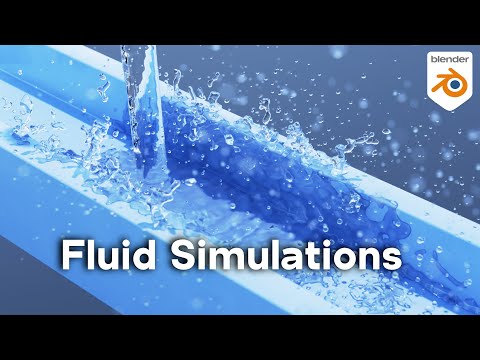
This beginner Blender tutorial introduces fluid simulations, one of the most powerful physics systems used to create realistic water and liquid effects. Fluid simulation allows you to generate natural-looking motion for liquids such as water, juice, oil, or any flowing substance interacting with objects and environments.
The lesson begins by explaining how Blender handles fluid physics using a simulation domain. The domain is a container that defines the space where the fluid simulation takes place. Inside this domain, Blender calculates how liquid moves, collides, and interacts with other objects over time.
You start by setting up a basic fluid system, where an emitter object generates liquid and a domain controls the simulation area. Once activated, the liquid behaves realistically under gravity and responds to obstacles in the scene.
A key focus is understanding different fluid types. The main categories include liquid flow objects and obstacle objects. Flow objects generate fluid, while obstacles block or redirect its movement. This setup is essential for creating realistic interactions such as pouring water into a glass or splashing against surfaces.
The tutorial explains important simulation settings such as resolution, viscosity, and time scale. Resolution controls the level of detail in the fluid, while viscosity determines how thick or thin the liquid behaves. Adjusting these settings helps simulate anything from fast-moving water to slow, thick substances like honey.
Collision accuracy is another critical topic. Properly configured obstacles ensure that fluid interacts correctly with surfaces without leaking or passing through geometry. Mesh quality and simulation resolution both play a major role in stability and realism.
You also learn how to create dynamic fluid effects such as splashes, waves, and pouring motion. These effects are commonly used in cinematic shots, product visualization, and visual effects scenes where realism is important.
Simulation baking is introduced to improve performance. Baking stores the calculated fluid motion so the system does not need to recompute every frame, allowing smoother playback and rendering.


