Cloth Physics in Blender | Beginner Guide to Realistic Fabric Simulation
عدد الدروس : 1 عدد ساعات الدورة : 00:43:02 شهادة معتمدة : نعم التسجيل في الدورة للحصول على شهادةللحصول على شهادة
- 1- التسجيل
- 2- مشاهدة الكورس كاملا
- 3- متابعة نسبة اكتمال الكورس تدريجيا
- 4- بعد الانتهاء تظهر الشهادة في الملف الشخصي الخاص بك
قائمة الدروس
عن الدورة
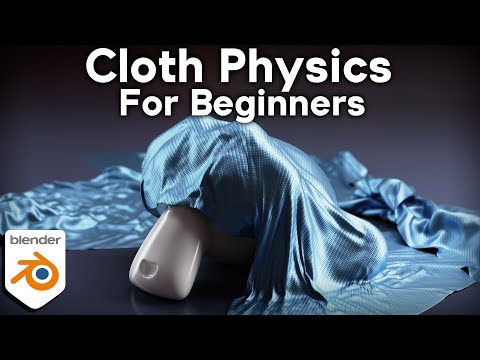
This beginner Blender tutorial introduces the fundamentals of cloth physics, a simulation system used to create realistic fabric movement and dynamic material behavior. Cloth simulation allows objects such as clothing, curtains, flags, blankets, and soft fabrics to move naturally under gravity and external forces.
The lesson begins by explaining how cloth physics works inside Blender. Unlike rigid body objects, cloth reacts dynamically to movement, collisions, wind, and gravity while continuously deforming across the surface of the mesh. Blender calculates how every part of the fabric interacts over time to create natural motion and folds.
You start by applying cloth simulation settings to a simple mesh. Once enabled, the object behaves like fabric and responds to physical forces automatically. Gravity pulls the cloth downward while collision objects prevent it from passing through surfaces.
A major focus of the tutorial is understanding fabric properties. Settings such as tension, compression, bending, and structural stiffness control how soft or rigid the cloth behaves. Different values can simulate materials ranging from silk and cotton to leather or heavy canvas.
Collision setup is another essential part of the workflow. Cloth objects often interact with characters, furniture, or environmental objects, so accurate collision settings are important to prevent clipping and unstable simulations. Collision distance and quality settings help improve realism and stability.
The tutorial also explores pinning and cloth control techniques. Pinning allows certain vertices to stay fixed while the rest of the fabric moves freely. This is useful for creating hanging cloth, attached clothing, capes, or flags connected to poles.
Wind and force fields are introduced to create more dynamic movement. These tools simulate environmental forces such as airflow, allowing cloth to wave, flutter, or react dramatically during animation.
The workflow includes practical examples such as draped fabric, animated flags, and simple clothing simulations. These projects help demonstrate how cloth systems behave in real animation scenarios while improving understanding of simulation settings.


