Rigid Body Physics in Blender | Beginner Guide to Realistic Simulations
عدد الدروس : 1 عدد ساعات الدورة : 00:25:25 شهادة معتمدة : نعم التسجيل في الدورة للحصول على شهادةللحصول على شهادة
- 1- التسجيل
- 2- مشاهدة الكورس كاملا
- 3- متابعة نسبة اكتمال الكورس تدريجيا
- 4- بعد الانتهاء تظهر الشهادة في الملف الشخصي الخاص بك
عن الدورة
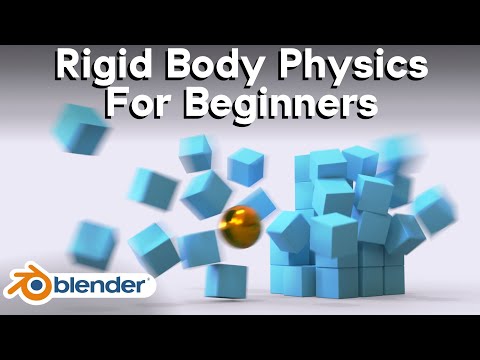
This beginner-friendly Blender tutorial introduces the fundamentals of rigid body physics, one of the most important systems for creating realistic motion and collision effects in 3D animation. Rigid body physics allows objects to interact naturally with gravity, momentum, and collisions while maintaining their solid shape.
The lesson begins by explaining what rigid body physics actually means. Unlike soft body or cloth simulations, rigid body objects do not bend or deform during movement. Instead, they behave like solid materials such as wood, metal, stone, or plastic. This makes rigid body simulations ideal for falling objects, collapsing structures, chain reactions, and impact animations.
You start by learning how to activate rigid body physics on objects inside Blender. Once enabled, objects can react to gravity and interact with other physical objects in the scene. Blender calculates movement automatically based on real-world physics principles.
The tutorial introduces the two main rigid body types: active and passive. Active objects are fully simulated and react dynamically during animation, while passive objects remain stationary and act as collision surfaces. For example, a floor is typically passive while falling cubes or debris are active.
Collision shapes are another important concept covered in the workflow. Blender uses simplified collision boundaries to calculate physics interactions more efficiently. Choosing the correct collision shape improves simulation stability and performance while maintaining realistic results.
You also learn how mass, friction, and bounciness affect movement. Heavy objects fall and collide differently from lighter objects, while friction controls sliding behavior and restitution affects how much objects bounce after impact. Adjusting these settings helps create believable simulations.
The tutorial explores practical examples such as stacked objects, domino effects, and collapsing towers. These projects demonstrate how rigid body systems behave in more complex animation setups while teaching timing and interaction control.
Simulation baking is also introduced. Baking stores the calculated physics data so Blender can play the animation smoothly without recalculating every frame. This improves playback performance and allows for more stable rendering workflows.


