Sculpting in Blender | Complete Beginner’s Guide to Digital Sculpting
عدد الدروس : 1 عدد ساعات الدورة : 00:33:17 شهادة معتمدة : نعم التسجيل في الدورة للحصول على شهادةللحصول على شهادة
- 1- التسجيل
- 2- مشاهدة الكورس كاملا
- 3- متابعة نسبة اكتمال الكورس تدريجيا
- 4- بعد الانتهاء تظهر الشهادة في الملف الشخصي الخاص بك
عن الدورة
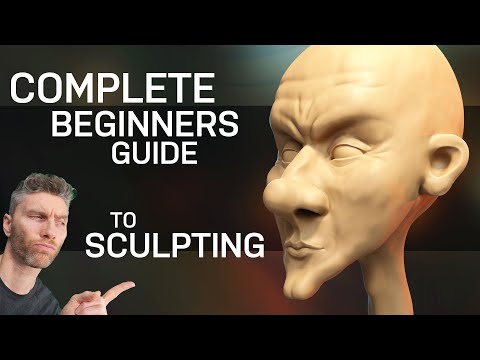
This complete beginner’s guide to sculpting in Blender introduces you to one of the most creative and intuitive ways of building 3D models. Sculpting allows you to shape digital objects much like real clay, giving you freedom to create organic forms, characters, creatures, and detailed assets without focusing heavily on traditional polygon modeling at the start.
The process begins with understanding the sculpting workspace and how it differs from standard modeling modes. Instead of manipulating vertices and edges individually, sculpting uses brush-based tools that allow you to push, pull, smooth, and reshape your model in a more natural way. This makes it ideal for artists who want to focus on form and creativity.
You are introduced to the core sculpting brushes, including grab, smooth, clay, inflate, and crease tools. Each brush has a specific purpose in shaping your model. The grab brush is used for large form adjustments, while the smooth brush helps clean and refine surfaces. Clay-based brushes are used to build volume, and crease tools help define sharp details and structure.
A major focus of this guide is the blockout stage, where you start with simple shapes and gradually build them into recognizable forms. This stage is all about proportion, silhouette, and overall structure rather than fine details. A strong blockout is the foundation of every successful sculpt, whether you are creating a character, animal, or object.
As the sculpt progresses, you begin refining forms and adding more structure. This includes adjusting facial features, body proportions, or object shapes depending on your project. At this stage, constant evaluation from different angles is important to ensure the model remains balanced and consistent.
You also explore different sculpting workflows such as dynamic topology, remeshing, and multiresolution sculpting. These systems help manage geometry density and allow you to add detail where needed without losing control of the model. Choosing the right workflow is essential for maintaining both flexibility and performance.
Detailing techniques are introduced using alphas, textures, and custom brushes. These tools allow you to quickly add surface detail such as skin texture, fabric patterns, or surface imperfections without manually sculpting every detail. This improves speed while maintaining high-quality results.
Masking tools are also covered, allowing you to isolate parts of your model and work on specific areas without affecting the rest. This is especially useful for complex models like faces or multi-part characters where precision is important.
Throughout the sculpting process, iteration is key. You continuously refine shapes, adjust proportions, and improve forms as the model develops. Sculpting is not a linear process but an evolving one where constant adjustment leads to better results.
Finally, you are introduced to the idea of preparing your sculpt for later stages such as retopology, texturing, and rendering. A clean and well-structured sculpt makes these later steps easier and more efficient.


