How To Animate Characters in Premiere Pro – Full Course
عدد الدروس : 1 عدد ساعات الدورة : 00:40:32 شهادة معتمدة : نعم التسجيل في الدورة للحصول على شهادةللحصول على شهادة
- 1- التسجيل
- 2- مشاهدة الكورس كاملا
- 3- متابعة نسبة اكتمال الكورس تدريجيا
- 4- بعد الانتهاء تظهر الشهادة في الملف الشخصي الخاص بك
Learn how to animate characters in Adobe Premiere Pro from start to finish. Full course with step-by-step guidance, tips, and free assets!
عن الدورة
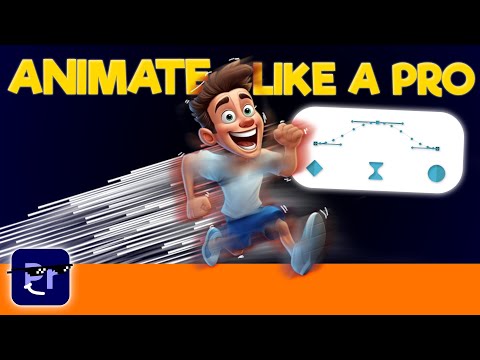
This full course on animating characters in Adobe Premiere Pro is designed for video editors who want to bring static images or characters to life. In this tutorial, you will learn how to create smooth, professional animations using only Premiere Pro, without needing After Effects or external plugins.
The course begins with an overview of the tools and techniques needed for character animation, including working with keyframes, motion paths, and layer management. You’ll learn how to animate body parts, facial expressions, and props to create dynamic and engaging animations. Step-by-step lessons guide you through animating simple movements first, then combining multiple motions to make full scenes.
You’ll also discover advanced techniques such as easing, timing adjustments, and adding secondary animations for a more realistic effect. By the end of this course, you’ll be able to animate characters, create expressive motion, and produce polished animated videos directly within Premiere Pro.
Free assets pack with thousands of animations, sound effects, and other resources is provided to help you practice and complete your projects efficiently. This course is perfect for beginners and intermediate editors looking to level up their animation skills in Premiere Pro.
The course begins with an overview of the tools and techniques needed for character animation, including working with keyframes, motion paths, and layer management. You’ll learn how to animate body parts, facial expressions, and props to create dynamic and engaging animations. Step-by-step lessons guide you through animating simple movements first, then combining multiple motions to make full scenes.
You’ll also discover advanced techniques such as easing, timing adjustments, and adding secondary animations for a more realistic effect. By the end of this course, you’ll be able to animate characters, create expressive motion, and produce polished animated videos directly within Premiere Pro.
Free assets pack with thousands of animations, sound effects, and other resources is provided to help you practice and complete your projects efficiently. This course is perfect for beginners and intermediate editors looking to level up their animation skills in Premiere Pro.


