Blender Archviz: Introduction to Architectural Visualization
عدد الدروس : 2 عدد ساعات الدورة : 01:08:42 شهادة معتمدة : نعم التسجيل في الدورة للحصول على شهادةللحصول على شهادة
- 1- التسجيل
- 2- مشاهدة الكورس كاملا
- 3- متابعة نسبة اكتمال الكورس تدريجيا
- 4- بعد الانتهاء تظهر الشهادة في الملف الشخصي الخاص بك
عن الدورة
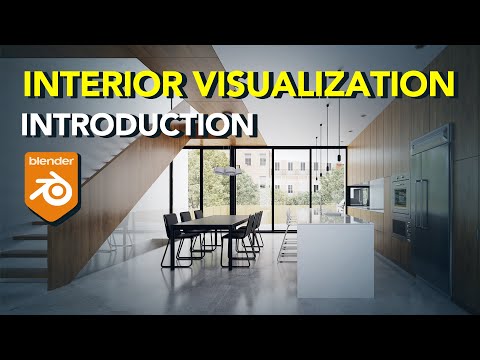
Blender is a powerful and free tool widely used for architectural visualization (Archviz), interior design rendering, and 3D environment creation. This introduction focuses on helping beginners understand how Blender is used in Archviz workflows and how to start building realistic architectural scenes.
The process begins with an overview of the Blender interface. Learners explore the 3D viewport, timeline, properties panel, and outliner. Understanding how these elements work together is essential for navigating the software efficiently. Basic navigation tools such as orbit, pan, and zoom are introduced to help users move freely within a 3D space.
Next, the tutorial covers scene setup for architectural visualization. This includes setting up units, scale, and workspace organization. Accurate scaling is especially important in Archviz because it ensures that buildings, rooms, and furniture match real-world dimensions.
The series then introduces basic modeling techniques. Using simple shapes like cubes and planes, users learn how to construct walls, floors, windows, and basic interior structures. Blender’s modeling tools allow for precise control over geometry, making it suitable for both simple and complex architectural forms.
Once the basic structure is created, the focus shifts to materials and shading. Materials define how surfaces look, including textures such as wood, concrete, glass, and metal. Applying realistic materials is a key step in achieving believable architectural renders.
Lighting is another essential component of Archviz in Blender. The tutorial introduces different types of lighting, including natural sunlight and artificial sources. Proper lighting setup helps create mood, depth, and realism in architectural scenes.
The introduction also covers camera setup and composition. Camera angles play a major role in architectural visualization, as they determine how spaces are presented. Understanding framing, perspective, and focal points helps create visually appealing renders.


