How to Use Eevee in Blender for Professional Real-Time Rendering
عدد الدروس : 1 عدد ساعات الدورة : 01:16:54 شهادة معتمدة : نعم التسجيل في الدورة للحصول على شهادةللحصول على شهادة
- 1- التسجيل
- 2- مشاهدة الكورس كاملا
- 3- متابعة نسبة اكتمال الكورس تدريجيا
- 4- بعد الانتهاء تظهر الشهادة في الملف الشخصي الخاص بك
قائمة الدروس
عن الدورة
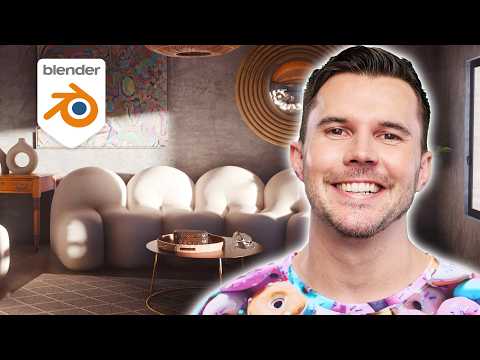
Eevee is a powerful real-time rendering engine inside Blender that helps artists and designers create high-quality 3D scenes with fast rendering performance. This complete series is designed to teach everything needed to understand Eevee, from the basic tools and settings to advanced rendering techniques used in professional workflows.
The series begins with an introduction to Eevee and its role inside Blender, explaining how it differs from other rendering engines and why it is widely used for animation, motion graphics, game assets, architectural visualization, and cinematic scenes. Viewers learn how to set up projects correctly, configure render settings, and optimize the viewport for smoother performance during production.
A major part of the content focuses on lighting and scene realism. The tutorials explain how to work with different light sources including Sun, Area, Point, and Spot lights, while also covering HDRI environments and volumetric lighting techniques. Important Eevee features such as Bloom, Ambient Occlusion, Screen Space Reflections, Contact Shadows, and Depth of Field are explored in detail to help improve visual quality and realism.
The series also teaches how to create and manage materials using Blender’s shader editor. Users learn how to design realistic surfaces, reflective materials, transparent objects, glowing effects, and stylized looks while maintaining fast rendering speed. Texture optimization and material workflow techniques are included to help improve both quality and performance.
In addition to rendering and materials, the content covers camera setup, scene composition, animation previews, and cinematic rendering techniques. Viewers also learn how to create interior and exterior scenes efficiently while managing large projects without reducing viewport performance.
Optimization is another key topic throughout the series. The tutorials explain how to reduce render times, improve scene efficiency, manage memory usage, and balance quality with speed for professional production environments. Practical examples and workflow demonstrations help users apply these techniques in real projects and creative pipelines.
By the end of the series, viewers will have a complete understanding of Eevee inside Blender and will be able to create visually impressive 3D scenes, animations, and renders with professional results and faster workflows.


