Blender User Interface & Edit Mode | Beginner Guide to Core Tools (Part 2)
عدد الدروس : 1 عدد ساعات الدورة : 00:30:15 شهادة معتمدة : نعم التسجيل في الدورة للحصول على شهادةللحصول على شهادة
- 1- التسجيل
- 2- مشاهدة الكورس كاملا
- 3- متابعة نسبة اكتمال الكورس تدريجيا
- 4- بعد الانتهاء تظهر الشهادة في الملف الشخصي الخاص بك
قائمة الدروس
عن الدورة
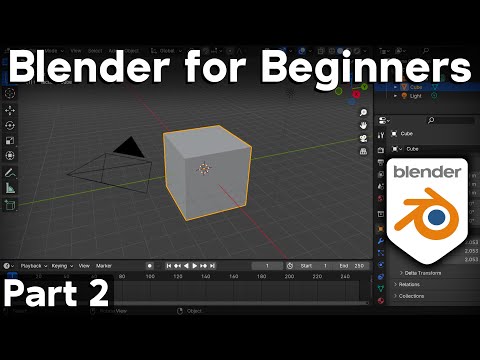
This second part of the Blender beginner tutorial series focuses on understanding the user interface and learning Edit Mode, two essential foundations for working efficiently in Blender. Once you are comfortable with navigation, the next step is learning how the software is structured and how to begin modifying 3D objects.
The lesson begins with an overview of the Blender interface. Blender is divided into multiple areas called editors, each serving a specific purpose such as modeling, animation, shading, or rendering. The main layout includes the 3D viewport, toolbar, properties panel, and outliner. Understanding these sections helps you locate tools quickly and work more efficiently.
The 3D viewport is where most of the work happens. This is where you view and interact with objects in your scene. The tutorial explains how to interpret different visual elements such as grids, axes, and object outlines, which help orient you in 3D space.
Next, the Outliner is introduced. This panel displays all objects in the scene in a structured list, making it easier to select, organize, and manage complex scenes. It becomes especially useful when working with multiple objects.
The Properties panel is also explained. This is where you control object settings such as transformations, materials, modifiers, physics, and rendering options. Each tab within the panel serves a different purpose depending on what you are editing.
After understanding the interface, the tutorial moves into Edit Mode. Edit Mode is where you directly modify the geometry of an object. Unlike Object Mode, which manipulates entire objects, Edit Mode allows you to work with vertices, edges, and faces.
You learn the difference between these selection types and how each one affects modeling. Vertices control points in space, edges connect vertices, and faces form surfaces. Mastering these components is essential for building and shaping 3D models.
Basic editing tools are introduced, including selecting components, moving geometry, and making simple structural changes. These tools form the foundation for all modeling workflows in Blender.
The tutorial also emphasizes switching between Object Mode and Edit Mode efficiently. Understanding when to use each mode is critical for maintaining a smooth workflow and avoiding confusion during modeling.


