Blender Lighting for Beginners | Realistic Scene Lighting Tutorial
عدد الدروس : 1 عدد ساعات الدورة : 00:44:53 شهادة معتمدة : نعم التسجيل في الدورة للحصول على شهادةللحصول على شهادة
- 1- التسجيل
- 2- مشاهدة الكورس كاملا
- 3- متابعة نسبة اكتمال الكورس تدريجيا
- 4- بعد الانتهاء تظهر الشهادة في الملف الشخصي الخاص بك
قائمة الدروس
عن الدورة
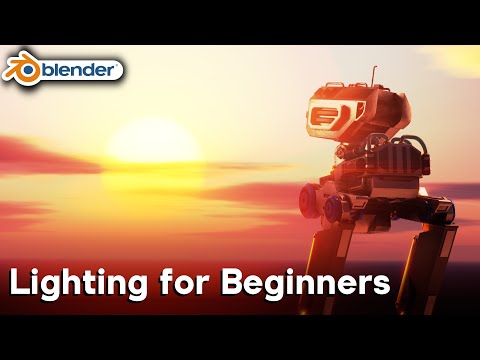
This beginner Blender tutorial focuses on lighting, one of the most important elements in creating realistic and visually appealing 3D scenes. Lighting determines mood, depth, realism, and how materials appear in a render. Even a simple scene can look professional with proper lighting setup.
The tutorial begins with an introduction to the main types of lights in Blender. These include point lights, sun lights, area lights, and spot lights. Each type behaves differently and is used for specific purposes depending on the scene. Point lights emit light in all directions from a single source, while sun lights simulate directional sunlight. Area lights produce soft, realistic illumination, and spot lights focus light into a cone shape for controlled highlights.
Understanding light placement is essential. Proper positioning helps define the shape of objects and enhances depth in the scene. Lighting is often used to separate the subject from the background and guide the viewer’s attention. Small adjustments in angle and distance can dramatically change the final look.
The tutorial also covers three-point lighting, a common technique used in photography and cinematography. This setup includes a key light as the main light source, a fill light to soften shadows, and a rim light to add separation and highlight edges. This method creates balanced and professional-looking results.
Another important topic is light intensity and color. Intensity controls brightness, while color helps establish mood. Warm colors can create a cozy or dramatic atmosphere, while cool tones are often used for sci-fi or nighttime scenes. Combining different lighting colors can add depth and visual interest.
Shadows are also a critical part of lighting design. Hard shadows create strong contrast and dramatic effects, while soft shadows feel more natural and realistic. Adjusting shadow softness helps define the style of the scene.
The tutorial explains how lighting interacts with materials. Reflective surfaces, glossy shaders, and metallic objects respond strongly to light, making proper lighting essential for realism. Without good lighting, even high-quality materials can appear flat.
Environment lighting is also introduced using HDRI images. These provide realistic global illumination and reflections, making scenes more natural and visually rich. HDRI lighting is often used as a base before adding additional light sources.


