Blender Physics Simulation | Plank Tower Physics Battle Tutorial
عدد الدروس : 1 عدد ساعات الدورة : 00:52:34 شهادة معتمدة : نعم التسجيل في الدورة للحصول على شهادةللحصول على شهادة
- 1- التسجيل
- 2- مشاهدة الكورس كاملا
- 3- متابعة نسبة اكتمال الكورس تدريجيا
- 4- بعد الانتهاء تظهر الشهادة في الملف الشخصي الخاص بك
قائمة الدروس
عن الدورة
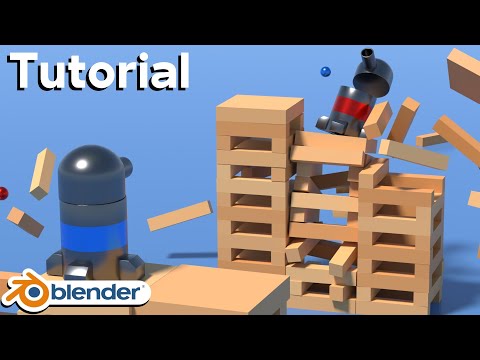
This Blender tutorial focuses on creating a dramatic physics simulation using rigid body dynamics, where a tower made of planks is built and then destroyed through realistic physical interactions. The goal is to understand how Blender simulates real-world physics such as gravity, collision, mass, and force.
The setup begins by constructing a simple environment using basic geometry. A flat ground plane is created first to act as the collision surface. Above it, multiple plank objects are duplicated and stacked carefully to form a tower structure. Each plank must be properly aligned to ensure stable but believable physics behavior.
Once the structure is ready, rigid body physics is enabled. Each plank is assigned as an active rigid body, meaning it can move, rotate, and react to forces. The ground is set as a passive rigid body, which allows it to remain static while interacting with falling objects.
A key part of the simulation is understanding physics properties. Mass affects how heavy each plank feels, while friction controls how much objects slide against each other. Bounciness (restitution) determines how much energy is preserved after impact. Adjusting these values changes how realistic or exaggerated the simulation feels.
After setup, gravity naturally pulls the tower downward, but the real behavior depends on how the objects interact. Small differences in alignment or force can dramatically change how the structure collapses, making each simulation unique.
The tutorial also covers stability improvements. Increasing collision margin accuracy and applying proper scale transforms help prevent jittering or unrealistic explosions. Clean mesh geometry is essential for stable simulations.
To create a “battle” effect, external forces or animated objects can be introduced to strike the tower. This adds controlled chaos and allows the simulation to become more cinematic. Timing and impact strength play a major role in how dramatic the destruction appears.


