Blender Physics Simulation Guide | Rigid Body, Cloth, Fluid, Fire and Soft Body Effects
عدد الدروس : 16 عدد ساعات الدورة : 06:45:38 شهادة معتمدة : نعم التسجيل في الدورة للحصول على شهادةللحصول على شهادة
- 1- التسجيل
- 2- مشاهدة الكورس كاملا
- 3- متابعة نسبة اكتمال الكورس تدريجيا
- 4- بعد الانتهاء تظهر الشهادة في الملف الشخصي الخاص بك
قائمة الدروس
عن الدورة
This Blender physics simulation guide introduces the core systems used to create realistic movement, destruction, environmental effects, and dynamic animations inside Blender. Physics simulations are essential for adding realism to scenes by allowing objects and materials to behave naturally according to physical forces and interactions.
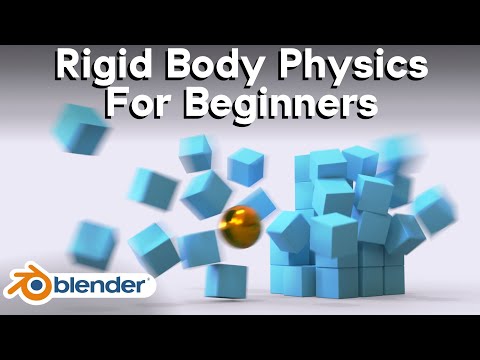
The learning process begins with rigid body physics, one of the most commonly used systems in Blender. Rigid body simulations are designed for solid objects that collide, fall, stack, and react to gravity without deforming. These simulations are widely used for collapsing structures, falling objects, chain reactions, and destruction effects. You learn how collision shapes, mass, friction, and force settings affect movement and realism.
The guide also explores practical rigid body projects such as plank towers, marble runs, and chain link simulations. These exercises help demonstrate how physics systems interact in more complex setups while teaching timing, collision stability, and animation control.
Soft body physics introduces a different type of simulation where objects can bend, stretch, and deform naturally. This system is commonly used for rubber-like materials, jelly objects, cushions, and flexible surfaces. You learn how soft body settings control stiffness, damping, elasticity, and motion behavior to create believable deformation.
Cloth simulation is another major topic covered in the workflow. Cloth physics allows fabric materials to fold, drape, wrinkle, and react to movement realistically. You learn how to create clothing, flags, curtains, and fabric interactions while controlling collisions and cloth quality settings for stable simulations.
Fluid simulation focuses on realistic liquid behavior such as pouring water, splashes, waves, and flowing motion. Blender’s fluid systems allow you to simulate both small-scale liquids and large environmental water effects. Important concepts such as domains, resolution, viscosity, and fluid interaction are explored to improve realism and performance.
Fire and smoke simulations are also introduced as part of Blender’s volumetric effects system. You learn how to generate flames, explosions, smoke movement, and atmospheric effects using simulation domains and force fields. Temperature, density, turbulence, and lighting all contribute to creating cinematic fire and smoke animations.
The workflow also emphasizes simulation optimization and caching. Physics systems can become computationally heavy, so understanding baking, cache management, and scene optimization is essential for stable and efficient projects.


