Complete Face Rigging in Blender | Full Facial Animation Setup Guide
عدد الدروس : 1 عدد ساعات الدورة : 01:14:26 شهادة معتمدة : نعم التسجيل في الدورة للحصول على شهادةللحصول على شهادة
- 1- التسجيل
- 2- مشاهدة الكورس كاملا
- 3- متابعة نسبة اكتمال الكورس تدريجيا
- 4- بعد الانتهاء تظهر الشهادة في الملف الشخصي الخاص بك
قائمة الدروس
عن الدورة
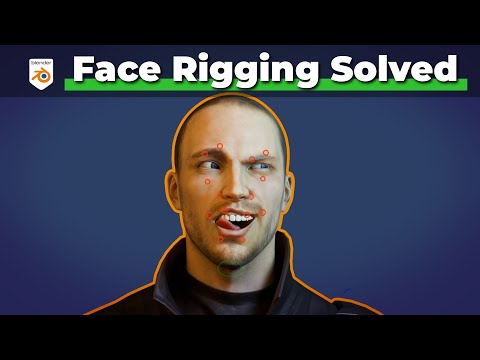
This complete face rigging guide in Blender focuses on building a functional and animation-ready facial setup for characters. Facial rigging is one of the most advanced and expressive parts of character animation because it controls emotions, dialogue, and subtle performance details that bring characters to life.
The process begins with understanding the structure of the face and how facial movement differs from body animation. Unlike arms or legs, facial motion involves many smaller deformations happening simultaneously across the eyes, mouth, cheeks, eyebrows, and jaw. A successful face rig must balance flexibility, control, and clean deformation.
You start by preparing the character mesh with proper topology. Clean edge flow around the mouth, eyes, and facial muscles is essential because these areas need to deform naturally during expressions. Good topology allows smoother movement and prevents distortion when the face animates.
A major part of the workflow involves creating facial controls. These controls allow animators to manipulate expressions easily without directly editing the mesh. Controls are typically created for eyebrows, eyelids, cheeks, lips, jaw movement, and eye direction. Organizing these controls clearly is important for efficient animation.
The lesson introduces shape keys as one of the main systems for facial animation. Shape keys store different facial expressions or deformations, such as smiling, blinking, or mouth shapes for speech. These shapes can then be blended together to create natural and expressive performances.
You also learn how bones can be used alongside shape keys to control certain facial areas. Bone-based controls are especially useful for jaw movement, eye rotation, and larger facial adjustments. Combining both systems creates a more flexible and professional rig.
Eye rigging is another important focus. Proper eye controls allow the character to look around naturally while eyelids follow the movement correctly. Small details like eye direction and blinking greatly improve the believability of a character.
Lip controls and mouth deformation are introduced to support speech animation and expressions. This includes controlling corners of the mouth, upper and lower lips, and jaw rotation to achieve smooth and expressive facial motion.
The workflow also emphasizes clean deformation and testing. Facial rigs require constant evaluation because small errors can become very noticeable during animation. Expressions are tested from multiple angles to ensure that the mesh deforms smoothly without collapsing or stretching unnaturally.


