IK FK Switch in Blender | Rigging Tutorial for Smooth Character Animation
عدد الدروس : 1 عدد ساعات الدورة : 00:39:21 شهادة معتمدة : نعم التسجيل في الدورة للحصول على شهادةللحصول على شهادة
- 1- التسجيل
- 2- مشاهدة الكورس كاملا
- 3- متابعة نسبة اكتمال الكورس تدريجيا
- 4- بعد الانتهاء تظهر الشهادة في الملف الشخصي الخاص بك
قائمة الدروس
عن الدورة
This rigging lesson focuses on one of the most important concepts in character animation: the IK FK switch. Understanding how Inverse Kinematics (IK) and Forward Kinematics (FK) work—and how to switch between them—is essential for creating flexible, production-ready character rigs in Blender.
The lesson begins by explaining the difference between IK and FK. FK (Forward Kinematics) works by rotating each bone in a chain individually. For example, when animating an arm, you rotate the shoulder, then the elbow, then the wrist in sequence. This method gives you smooth, natural motion and is commonly used for arcs and organic movement.
IK (Inverse Kinematics), on the other hand, allows you to move the end of a bone chain, such as the hand or foot, and automatically calculates the position of the rest of the chain. This is extremely useful for grounded motion like walking, where the feet need to stay fixed in place while the body moves.
The lesson then introduces how both systems are built into a character rig. Typically, an IK system includes control handles that allow easy positioning of hands and feet, while FK systems rely on rotating individual bones. A properly built rig includes both systems so the animator can choose the best option depending on the animation task.
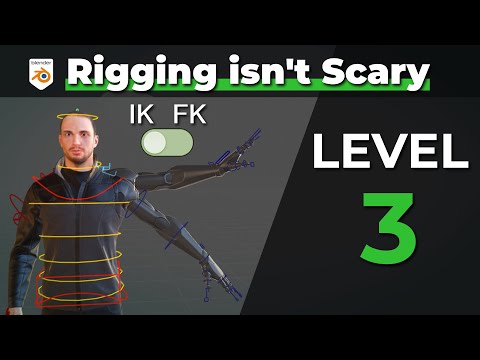
A key part of the lesson is the IK FK switch, which allows you to transition between both systems seamlessly. This switch is usually controlled through a custom property or driver that blends the influence between IK and FK setups. When used correctly, it allows animators to switch workflows without breaking animation continuity.
You also learn why blending between IK and FK is important. In real production workflows, animators often use FK for smooth arm motion and IK for grounded contact points like feet. Being able to switch between them ensures both control and flexibility during animation.
The setup process also involves understanding constraints, bone parenting, and control rigs. Constraints like IK constraints are used to define how bones follow targets, while FK relies on direct bone rotation. The switch manages which system has priority at any given time.
Testing the IK FK switch is an essential step. You animate simple poses and check whether the transition between IK and FK is smooth, without snapping or breaking the pose. Proper setup ensures that the character can move naturally between different animation styles.
By the end of this lesson, you understand how IK and FK systems work individually and how the IK FK switch combines them into a powerful animation tool. This knowledge is essential for building professional character rigs that support both control and flexibility in animation workflows.


