Flutter Google Maps with Custom Markers & Info Windows
عدد الدروس : 1 عدد ساعات الدورة : 00:32:17 شهادة معتمدة : نعم التسجيل في الدورة للحصول على شهادةللحصول على شهادة
- 1- التسجيل
- 2- مشاهدة الكورس كاملا
- 3- متابعة نسبة اكتمال الكورس تدريجيا
- 4- بعد الانتهاء تظهر الشهادة في الملف الشخصي الخاص بك
عن الدورة
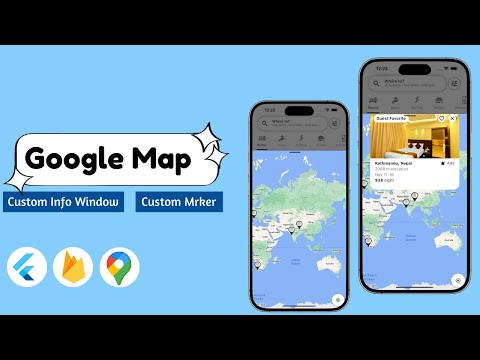
This course teaches you how to integrate Google Maps into a Flutter application and customize it with advanced features like custom markers and info windows. You will learn how to build interactive, location-based apps that provide a smooth and engaging user experience.
You will start by setting up Google Maps in Flutter and configuring the required APIs. Then, you will learn how to display maps, handle user location, and control camera movements programmatically. The course focuses heavily on customization, allowing you to design and use custom markers instead of default pins to represent locations in a more meaningful way.
You will also implement info windows that display detailed information when a user taps on a marker. This can include images, text, ratings, or any dynamic data fetched from a backend like Firebase or an API.
In addition, you will explore handling multiple markers, clustering techniques for performance, and updating map data in real time. These are essential skills for building apps like delivery systems, travel guides, real estate platforms, and ride-sharing applications.
By the end of this course, you will be able to build professional, production-ready Flutter map applications with fully customized markers, interac


